01
On-device intelligence.
Run compatible GGUF models directly on your Android device in Phone mode. Keep prompts and responses on your phone without sending them to a cloud AI provider.
PRIVATE AI FOR ANDROID · v1.7.2
Your AI. Your device. Your choice.
Run AI locally on your Android device, connect to your own computer, or use a cloud provider when you choose.
01 / CHOOSE WHERE YOUR AI RUNS
LOCAL-FIRST, NOT LOCAL-ONLYON-DEVICE INFERENCE · PHONE MODE
Run compatible GGUF models directly on your Android device. After the required model is downloaded, Phone mode can operate without an internet connection.
On-device GGUF inference · No cloud provider requiredLocal Phone mode processes prompts directly on your device and does not require sending data to a cloud AI provider.
ON YOUR DEVICE (PHONE MODE)
02 / A DIFFERENT RELATIONSHIP WITH AI
Start with intelligence on your device.
Connect your computer or cloud when you choose.
Run compatible GGUF models directly on your Android device in Phone mode. Keep prompts and responses on your phone without sending them to a cloud AI provider.
Download your local model once. Phone mode can operate without an internet connection after the required model is available on your device.
No Moonlight account or centralized chat history. No advertising SDK. No analytics SDK. Manage your conversations, saved memories, and local storage directly.
02 / A CLOSER LOOK
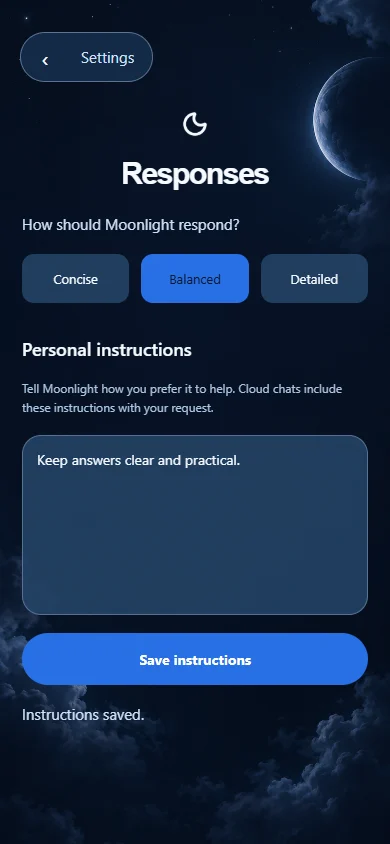
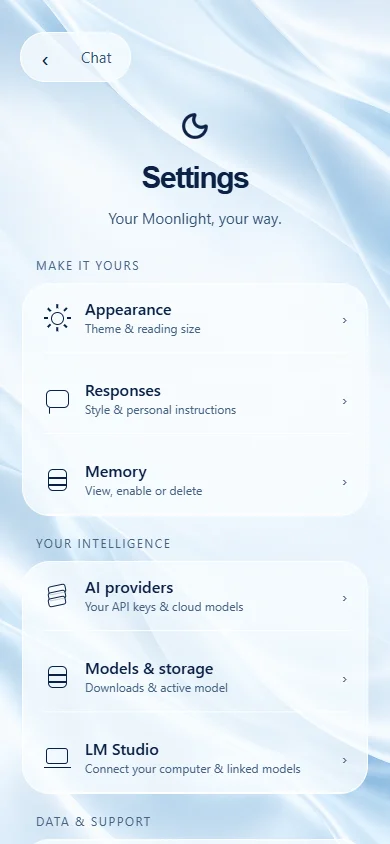
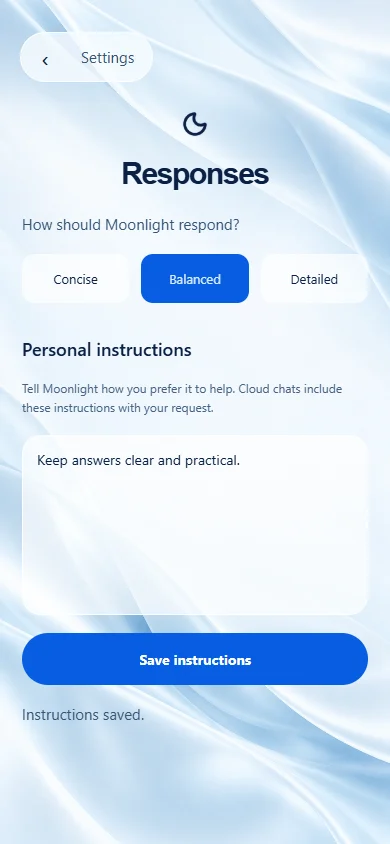
A new glass settings experience brings appearance, responses, models and connections together.
03.5 / OBJECTIVE BENCHMARK
Engineered for privacy, device longevity, and practical compute offloading.
| Capability | Moonlight AI | PocketPal AI | MLC Chat | Layla AI |
|---|---|---|---|---|
Liquid AI (LFM) Models Architecture | Official Pinned (LFM2 & LFM2.5) | ~Manual GGUF load only | ~Limited / experimental | Not supported |
LM Studio Companion Connectivity | LAN & Tailscale HTTPS | Not available | Not available | ~Local IP only |
Permissions & Telemetry Privacy | Zero mic & zero storage permissions | ~Requires storage permissions | ~Requires storage permissions | Account & storage required |
Vision & Video Attachments Multimodal | 1024px auto-sample & keyframes | ~Experimental GGUF-VL | ~Selected compiled models | ~Paid add-on module |
Cloud Provider BYOK Connectivity | OpenAI, Anthropic, Gemini, NVIDIA | Local only | Local only | ~Limited cloud support |
Pricing & Advertising Fairness | 100% Free & No Ads | Free | Free | Paid app ($19.99+) + IAP |
Disambiguation: Moonlight AI is an Android on-device LLM assistant developed by Moon Knight Studio and is not affiliated with Moonlight Game Streaming.
Select Phone for on-device inference, Computer for your LM Studio server, or Cloud for your own provider API keys.
Download a compatible GGUF model for Phone mode, or configure your computer server address or cloud provider credentials.
Phone mode can work offline after setup. Computer and Cloud modes send requests to the endpoint you configure.
Moonlight provides an in-app way to report AI responses that are incorrect, unsafe, or inappropriate.
When using any execution mode, you can flag problematic outputs directly from the conversation screen. Reporting captures the relevant response details and category so issues can be reviewed and addressed.
04 / YOUR SPACE IS PERSONAL
Local-first, not local-only. On-device AI inference in Phone mode processes prompts and responses on your device. No Moonlight account or centralized chat history is operated.
Moonlight does not operate a centralized account-based chat history. When you connect to your LM Studio computer or use a third-party cloud provider, requests are processed by that configured endpoint and their privacy and retention policies apply.
03 / FIVE WAYS TO FEEL AT HOME
Glass, Glass Night, Paper, Mono and Midnight. Choose the light you like, follow your system appearance, or reduce motion. Your preferences stay saved.
A little daylight, wherever you are.
YOUR AI. YOUR DEVICE. YOUR CHOICE.
Available for Android. No Moonlight account required.